Is a spreadsheet holding your organisation back?
Most organisations have one. A spreadsheet that started as a quick fix and slowly became the backbone of something important.
It might track assessments, manage applications, calculate pricing or keep a register that half the team relies on. It works, mostly. Which is exactly why it’s so easy to leave alone.
But there’s a point where a spreadsheet stops being a tool and starts being a risk. Here are the signs.
Five signs you've outgrown it
- 1.More than one person needs to use it at the same time. Someone is always waiting, or worse, working from an old copy.
- 2.You're not sure which version is the right one. Files get renamed, emailed and saved in three places. Version control becomes guesswork.
- 3.Reporting takes real effort. Pulling numbers together means copying, pasting and hoping nothing broke along the way.
- 4.Sensitive information is sitting in a file. Spreadsheets aren't built for proper access control, so anyone with the file can usually see everything.
- 5.Only one person really understands it. If they leave, or go on holiday, the process stalls.
If you nodded at two or more, it’s worth a closer look.
Why it's easy to put off
Replacing a spreadsheet can sound like a big project. Many people assume it means an expensive system, months of disruption and staff learning something completely new.
In reality, the hardest part is usually the thinking, not the technology. What does the process actually need to do? Who uses it? What should it look like in two years, not just today?
That’s why the best results rarely come from copying a spreadsheet into a website. They come from stepping back and designing something that fits how the organisation really works.
What this looks like in practice
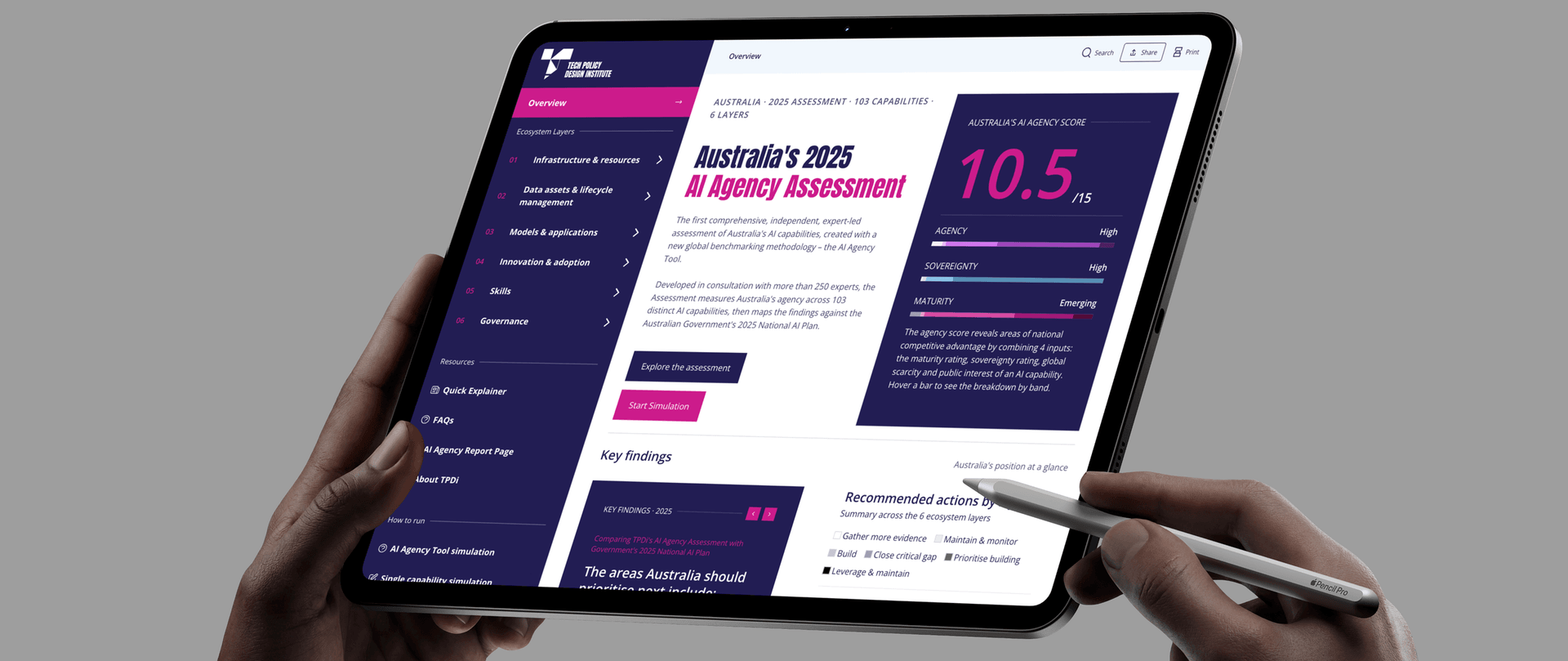
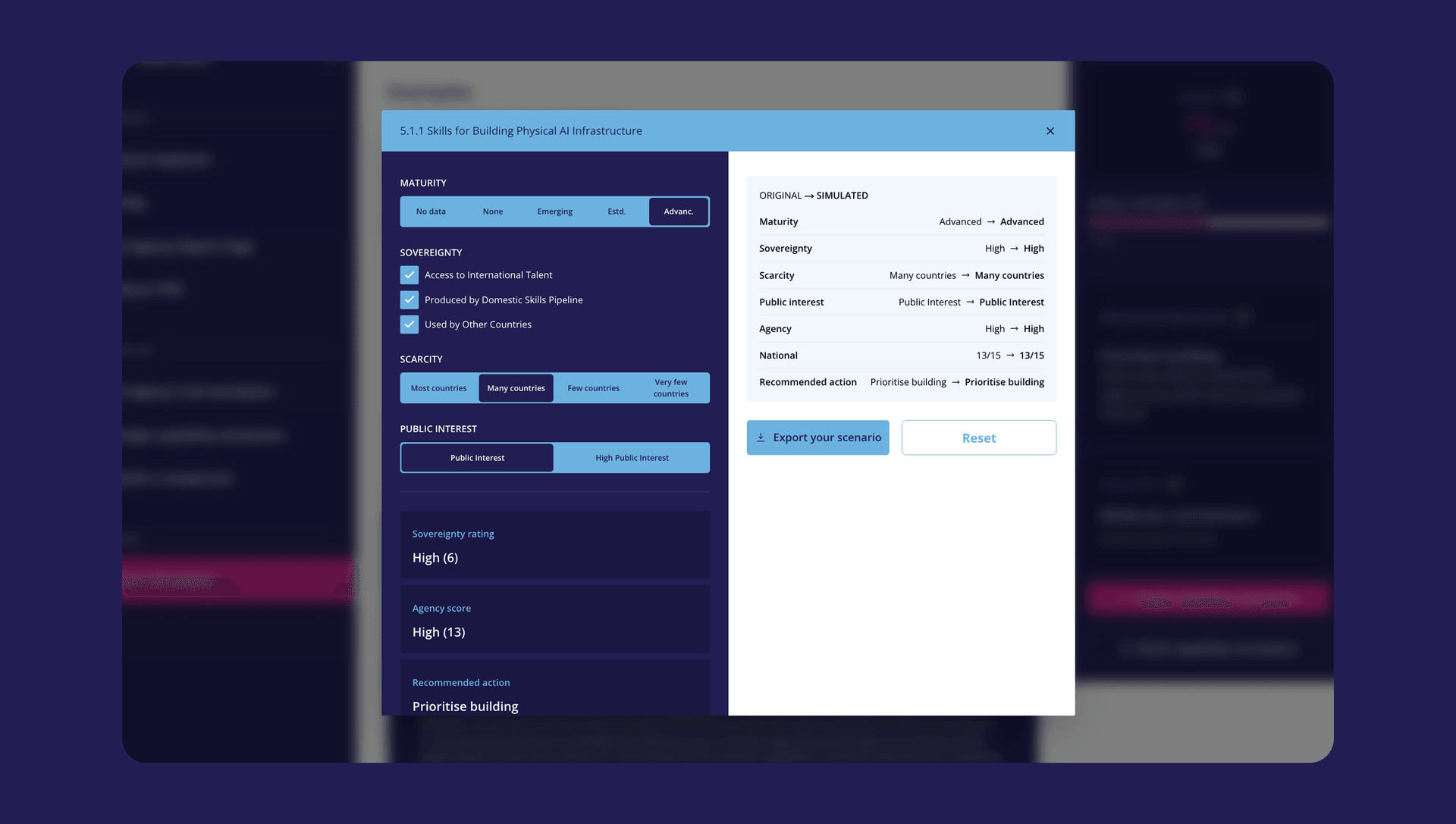
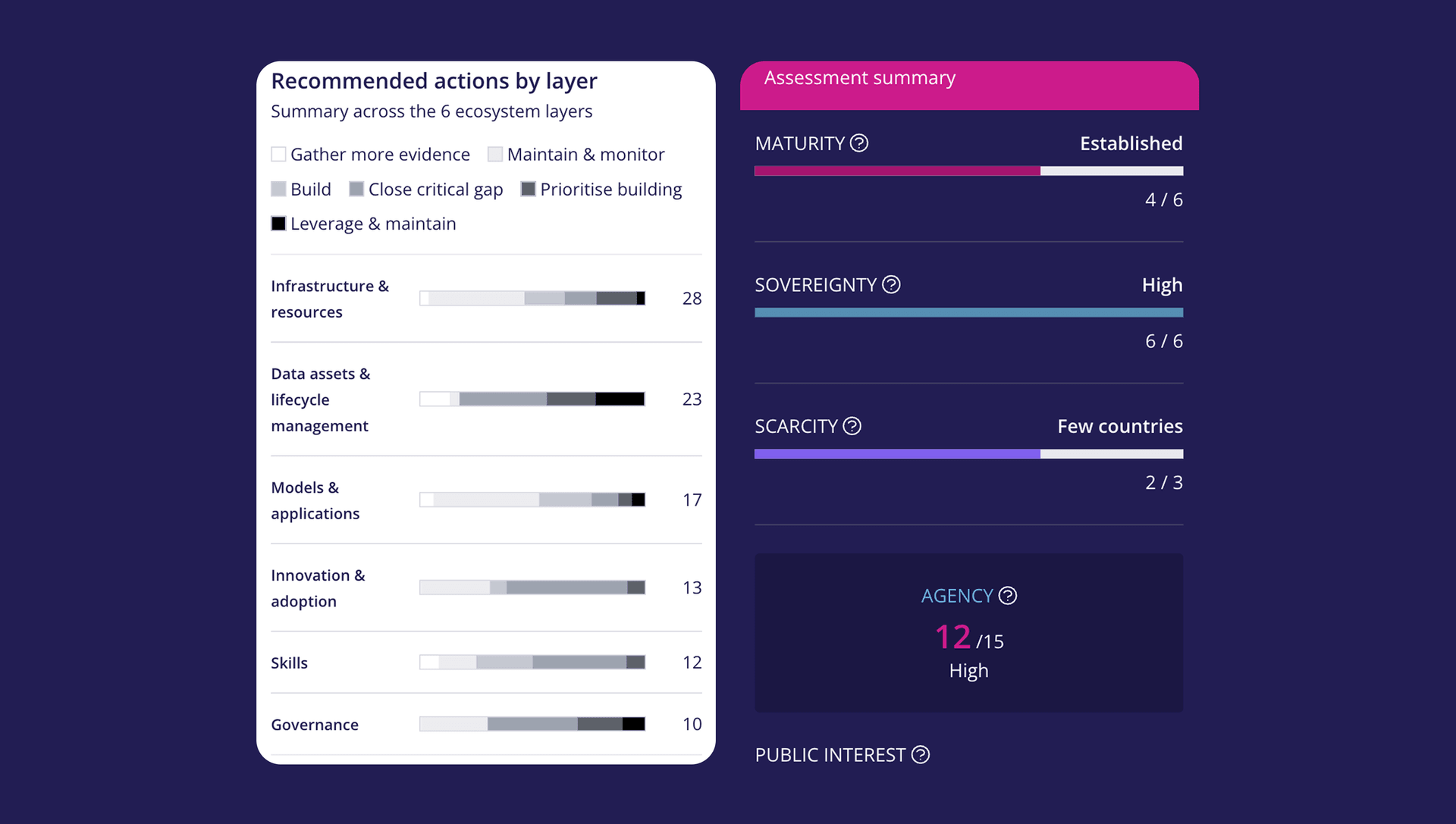
The Tech Policy Design Institute had built a valuable AI assessment framework, but the entire process lived in Excel. Multiple people needed access, reporting was difficult and version control was becoming a problem. The framework had simply outgrown the tool it was built in.
Rather than digitising the spreadsheet as it was, we worked with the team to redesign the process as a secure online platform. It now includes Microsoft sign in, reporting, administration tools and a modern user experience. Just as importantly, it was built to support many users and to keep growing as demand does.
What was once a manual process is now a scalable digital product.
Where to start
You don’t need to commit to a big project to find out if it’s time. A good first step is simply to map out what the spreadsheet does, who depends on it and what’s frustrating about it today. That alone often makes the right next step obvious.
If you’d like a second opinion, we’re happy to talk it through.
Related

What to ask before replacing a legacy system
Seven questions to work through before replacing a legacy system, from what it really does today to who looks after the new one.
Learn more
How to upgrade a large platform without disrupting operations
Thousands of users, years of content and a growing security risk. Here is how a large platform can be upgraded with confidence.
Learn more
Do you need a developer, or a digital team?
One developer or a wider digital team? Learn what each does well and how to decide.
Learn more